Sololearn: zero to first subscribers

Payment conversion

Scope

Payment UX

Conversion optimization

Behavioral nudges

Redesigning a web-to-app payment flow for a coding education platform, starting with the question no one had asked.
70%
return on ad spent
First subscribers
within days
Design sprint:
test, discard, redesign

the context

Sololearn is an EdTech platform for bite-sized lessons to learn coding and AI. Think Duolingo, but for programming.
Their growth had plateaued. Unlike language learning, coding has a natural endpoint—once you can build what you need, you stop doing lessons. The team was experimenting with a web-to-app funnel to bring in paying users: ads targeting mid-career professionals considering a career change, a 30-question onboarding, then payment, and app install. A more direct route to convert viewers straight to payers, bypassing turning them into users first.
The funnel was live. People were clicking through. Traffic was flowing. But not a single person paid.

The Question

The team built out the flow based on their competitors and was working with the hypothesis that messaging was the problem. They tried adding three explanatory screens before the payment step, but those didn't move the needle. They tested that hypothesis and set it aside.
Coming in as an outside contractor, the pressure was to demonstrate value fast. Instead, my first move was a question that felt, in the moment, embarrassingly basic:
Has anyone actually gone through the live flow and tried to pay?
The team had tested the payment in sandbox. It worked there so the function of the live flow was out of the question. But a few days later, the engineers came back—the live payment processor was not properly configured. The flow was collecting intent, onboarding data, email addresses, and then failing at the one step that mattered.
Once fixed—the first subscribers came through immediately.

The audit

With the payment working, attention turned to increasing the conversion. An audit of the existing paywall revealed several compounding problems.
The payment screen landed viewers directly on payment plan selection—no summary of what they'd chosen during onboarding, no context for what their subscription would include. After investing time in 30 questions, viewers got a screen that didn't acknowledge any of it.
Pricing was structured around a daily rate—$0.33, $0.27, $0.16 per day—but the actual charge was for the full period. A viewer seeing "$0.27 per day" would need to calculate what 3 months actually costs. Every plan showed the same 51% discount. The hierarchy made the small number salient and the real price tiny—too much arithmetic for what should be the simplest step.
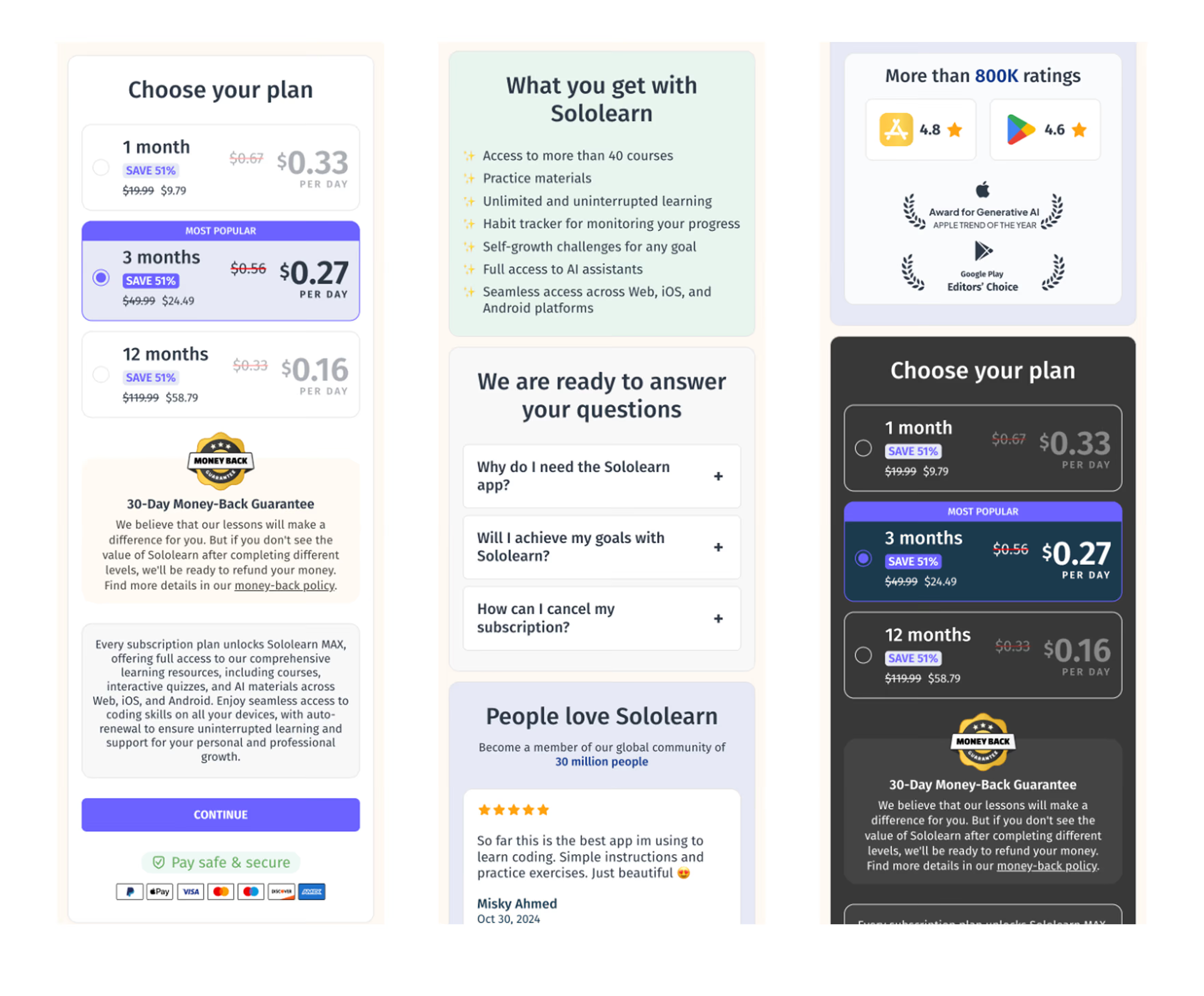
Behavioral data told a clear story. Of 113 paywall viewers, 62% scrolled to products, 51% to the value section, but only 15% reached checkout. FAQ had a 7% click rate—low enough to question whether it belonged on the page at all. Discount clicks sat at 10%. The elements designed to persuade weren't doing their job.
the redesign

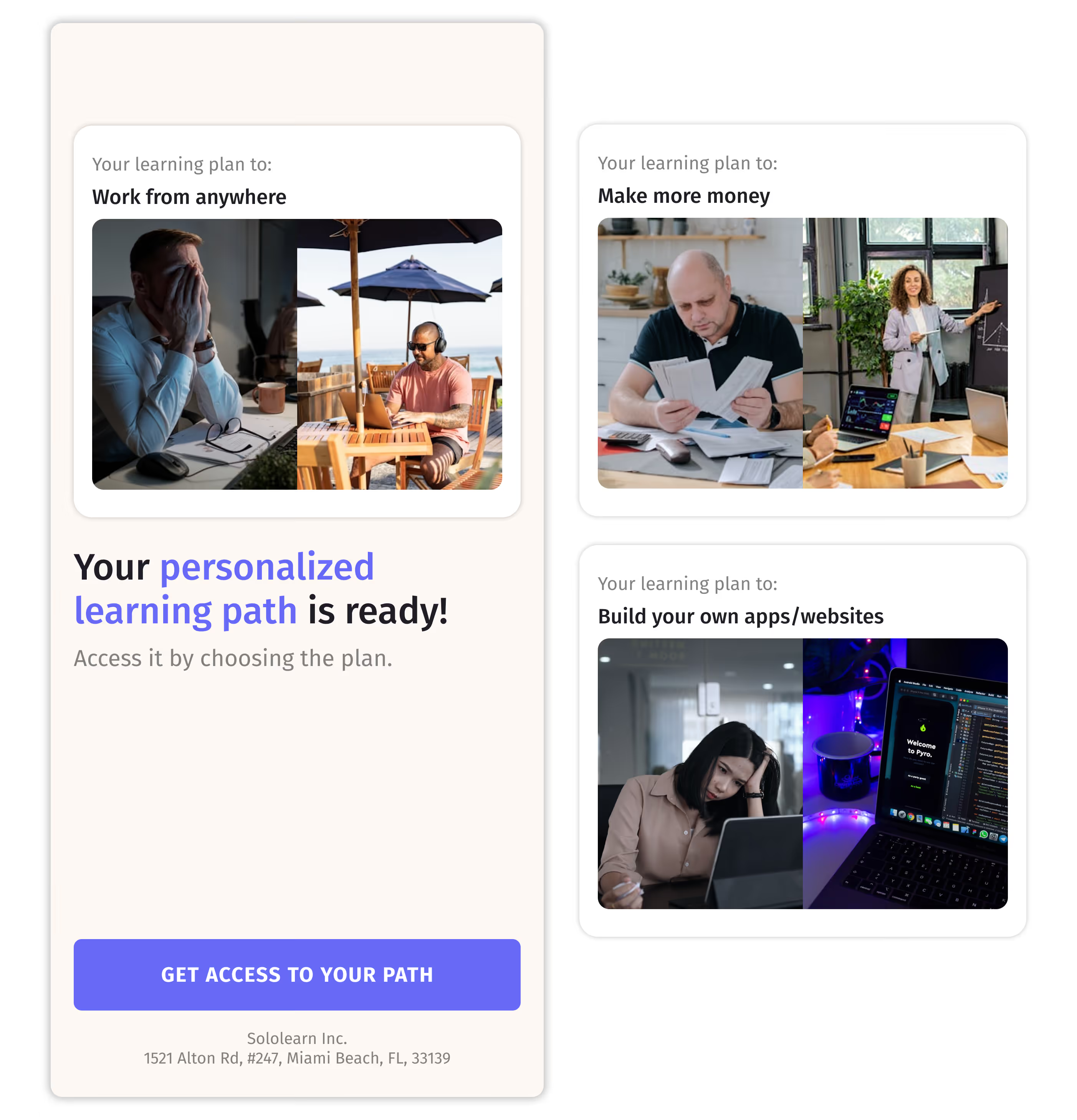
A transition screen went in between email capture and payment. It pulled the viewer's chosen goal directly from their onboarding answer —work from anywhere, grow your career, build your own app—and paired it with imagery showing the gap between where they are now and where a new career could take them. The 30-question investment finally had a visible payoff before the ask.
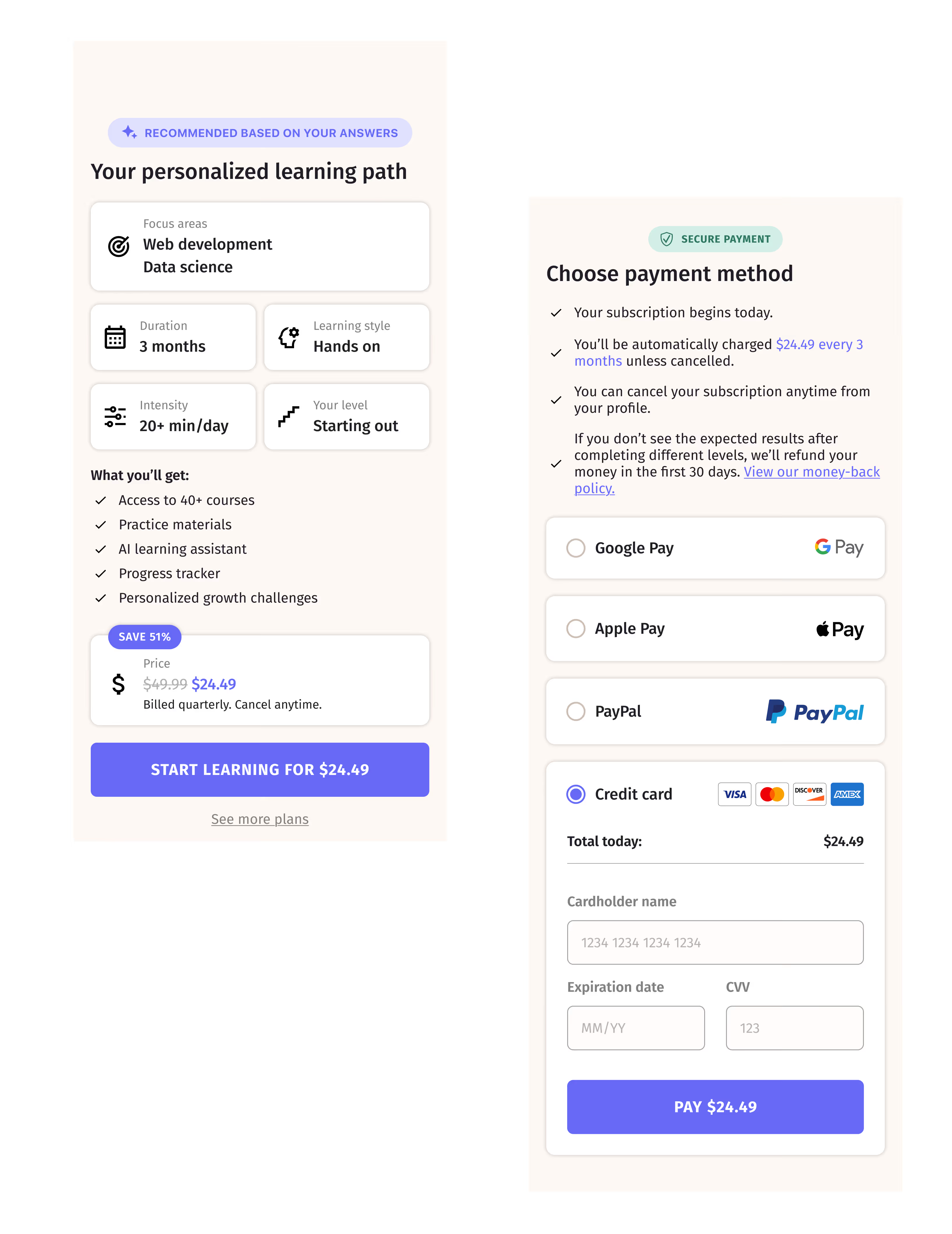
The paywall was reorganized around a single default plan. A summary card reflected the viewer's onboarding answers—focus areas, duration, learning style, level. Below it: what's included, a clean price block, and one CTA above the fold for those already ready to pay. No daily rate arithmetic. No three plans competing for attention on arrival.
The core decision was structural: collapse two payment steps into one. The original flow separated plan selection from payment details. At the payment step, every additional screen is friction that compounds.
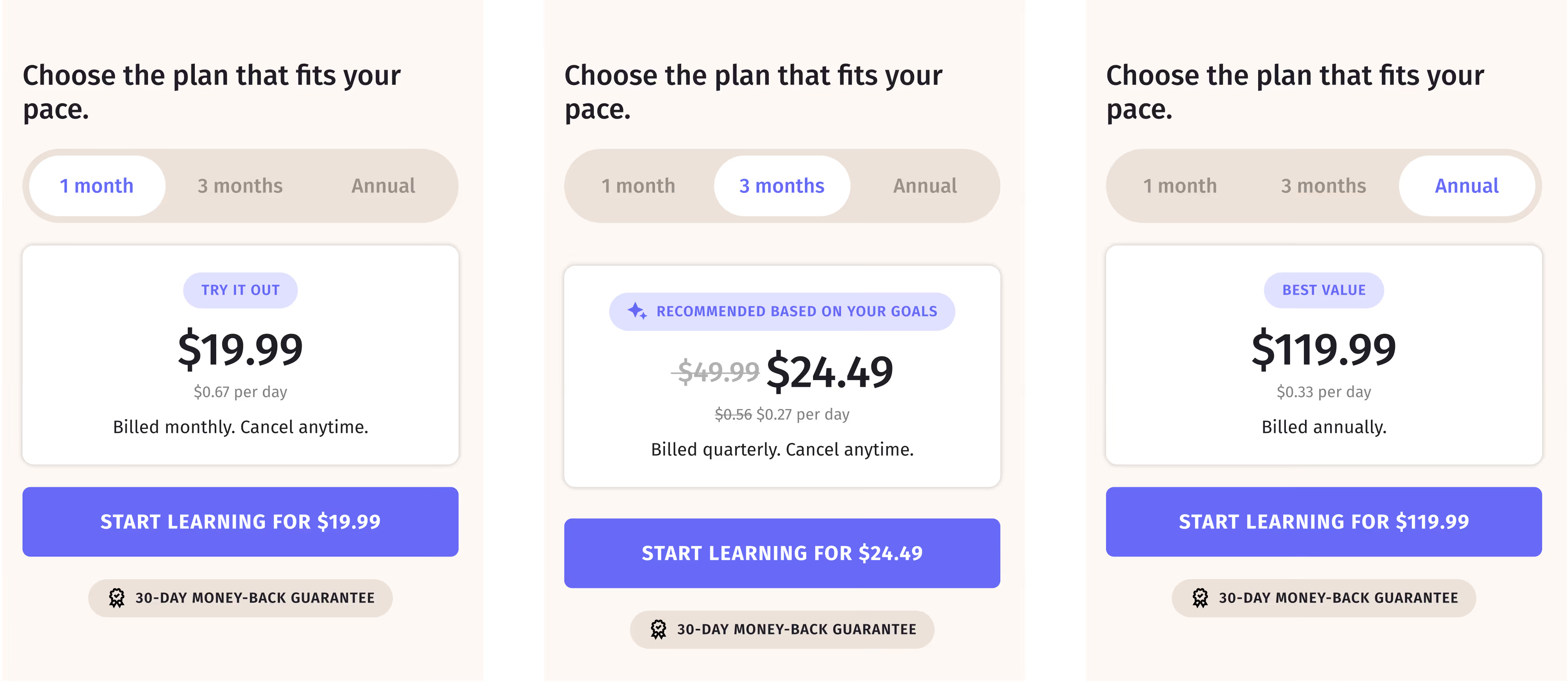
Payment method selection followed inline—Google Pay, Apple Pay, PayPal, credit card—with the total always visible on the CTA. Viewers who wanted options could scroll down to a plan toggle: “Choose the plan that fits your pace.” Switching plans updated the price throughout in real time—control that doubled as a nudge.
The audience data had flagged unexpected interest from people 60 and older. That shaped specific decisions: large price typography, generous spacing between sections, billing terms written out in full.
FAQ was removed. In its place: outcome statistics tied to the viewer's goals, followed by learner reviews. The argument shifted from explaining the product to letting its results speak.

The outcome

The redesigned flow showed improved scroll depth and better content engagement—viewers were navigating the paywall rather than abandoning it. The funnel delivered 70% return on ad spend.
Conversion alone didn't produce a dramatic result. After reviewing the data, the bigger lever was volume—more ad spend, more people entering the funnel. The team moved there next. Swift experimentation.
The payment fix turned a funnel generating zero revenue into one that worked. The redesign made the experience coherent for the people who arrived. What it proved, more than anything else, is that the most useful question on a project isn't always the most sophisticated one.

Substack

Notes from the soft underground

essays on what it’s like to be human today in all its complexity, told by a woman.